

How to Find Government RFPs in Pennsylvania: A 2026 Guide
Nov 19, 2026 · 10 min read

You've found a Pennsylvania opportunity that looks right for your company, but the advertisement doesn't include the full scope. The documents require a login, a transportation project appears in a different system, and you're not sure whether your local school district posts anywhere you've searched.
Learning how to find government RFPs in Pennsylvania starts with matching each buyer to its procurement channel. Build that map first, establish document access, and then screen opportunities before committing proposal time. A statewide search is useful, but it isn't a complete search of Pennsylvania public buyers.
Table of Contents
- Map Every Pennsylvania RFP Source by Buyer Type
- How to Register Once for Full Solicitation Access
- Search Filters and Keywords That Surface Real RFPs
- Track Amendments and Deadlines Before They Cost You
- Qualify Each RFP Before You Write a Word
- Set Up Your Weekly Pennsylvania RFP Search Routine
Map Every Pennsylvania RFP Source by Buyer Type
Searching only PA eMarketplace leaves gaps. It's the Commonwealth's main discovery channel, not a universal directory for every public entity operating in Pennsylvania.
Start with its Solicitations area for current advertisements and Upcoming Procurements for needs that haven't reached a formal solicitation. Commonwealth policy generally requires non-contract purchases exceeding $10,000 to be advertised there, according to the Department of General Services' eMarketplace navigation guide. Treat that as a general advertising rule, not a guarantee that every government purchase will appear as an RFP.
Pennsylvania RFP sources by buyer type
Save this table as your source list, then add the actual buyers you want to serve.
| Buyer or opportunity type | Where to search | Access and notes |
|---|---|---|
| Commonwealth agency solicitations | PA eMarketplace, Solicitations tab | Advertisements are public; full documents need PA Supplier Portal login |
| Upcoming Commonwealth needs | PA eMarketplace, Upcoming Procurements | Early signal before a formal solicitation is released |
| Non-contract purchases over $10,000 | PA eMarketplace | Commonwealth policy generally requires advertising, as described in the DGS guide |
| PennDOT construction, engineering and consultant agreements | Engineering and Construction Management System (ECMS) | Follow the registration and electronic-submission rules in each notice |
| Pennsylvania Treasury RFPs | Treasury active RFP page | Check alongside eMarketplace |
| Federal opportunities | SAM.gov | Federal notices, separate from state systems |
| Counties, municipalities, school districts, transit authorities and universities | Each buyer's own procurement portal or alert system | No single state search covers them; list each target buyer by name |
PennDOT is a concrete reason to search by buyer and work type, not just geography. Its contract information and opportunity guidance directs vendors to ECMS for construction projects, construction contracts and consultant agreements. Decide whether your work is construction, engineering or consulting before choosing the channel.
Pennsylvania's vendor-registration guidance also identifies systems including JAGGAER, e-Builder and e-Alerts. Registration with the Commonwealth doesn't replace checking Treasury's active-RFP page or a local buyer's procurement site.
Turn the map into a working buyer list
For each target buyer, record its name, procurement page, posting platform, alert subscription and last review date. Write the buyer's full name rather than “local authorities.” Otherwise, nobody can tell which entities your search covers.
There's meaningful small-business activity to pursue: the Pennsylvania Department of General Services' mid-year report reports more than $22 million in small-business prime contracts during the first half of fiscal year 2023–24, covering 462 purchase orders with 158 small businesses. Those are Commonwealth results, not a measure of the entire Pennsylvania public market.
For technology contractors, Kagool public sector solutions offers context for thinking about public-sector service needs. Use that kind of sector resource to sharpen your target scope, not as a substitute for procurement notices.
If you also pursue neighboring markets, keep a separate channel map using this guide to finding government contracts in Illinois. Don't assume another state uses Pennsylvania's registration or posting workflow.
Practical rule: A source map is complete only when every target buyer has a named place to check.
How to Register Once for Full Solicitation Access
Set up access before you need to respond. Discovering an advertisement and managing an authenticated response are separate tasks. You don't want to learn that distinction while trying to download attachments near closing time.
Pennsylvania's supplier portal registration guide describes the vendor-registration, opportunity-registration and electronic-response workflow. Complete the company setup first, then establish access to the particular opportunity.
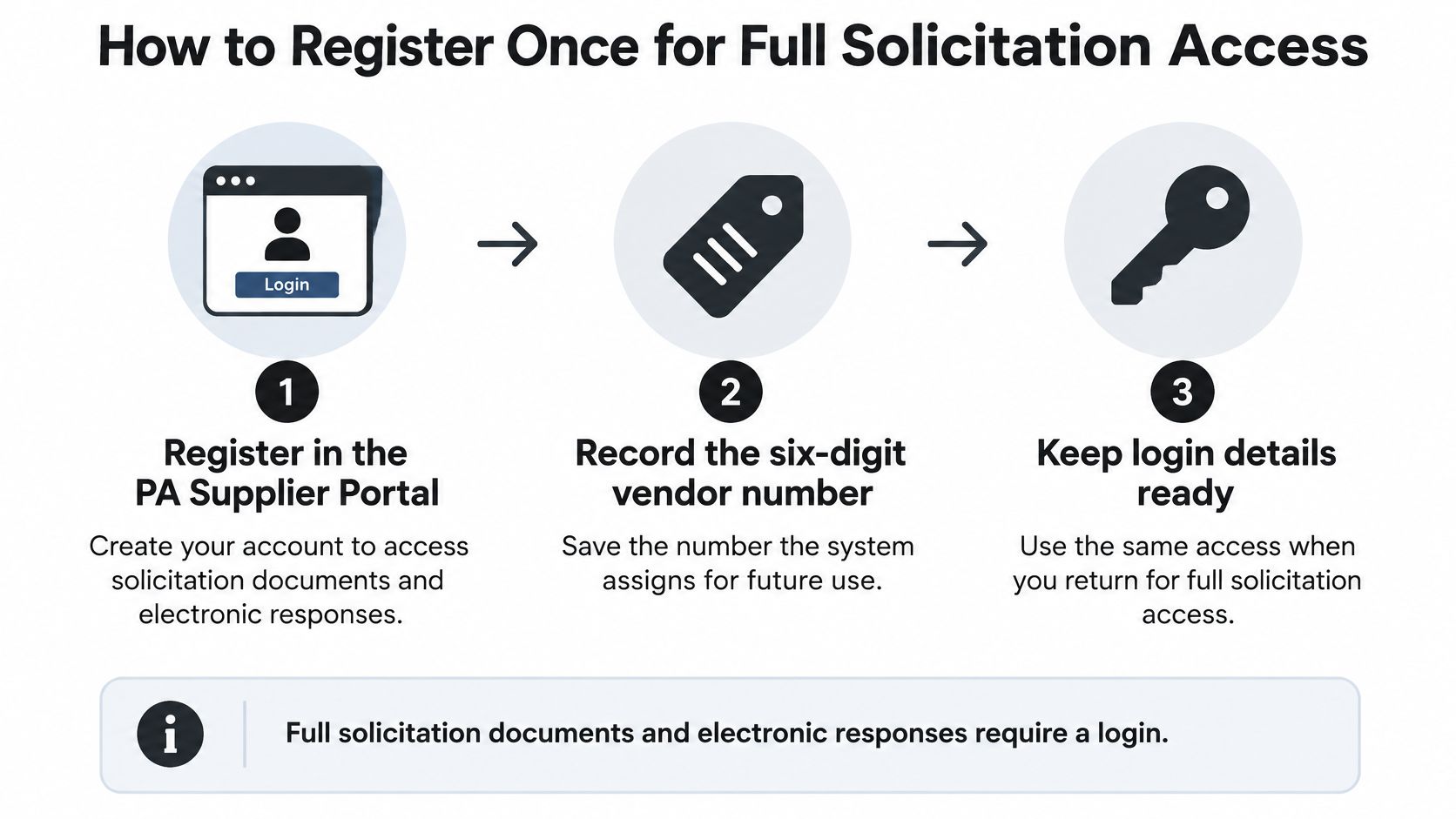
Establish company and user access
- Register in the PA Supplier Portal. Use your company's legal information and IRS employer identification number. Keep the legal name consistent with your tax and business records so colleagues don't create competing versions of the company profile.
- Record the assigned vendor number. Save it in the company's procurement file, alongside the registered business name and account administrator. Don't leave this information only in one employee's inbox.
- Prepare individual access. Complete the login and multifactor-authentication setup before proposal work starts. Where the system supports individual users, give each authorized person their own credentials rather than passing around a shared password.
Keep account administration separate from proposal ownership. The person responsible for company records may not be the person uploading the response, and both need to know who can resolve an access problem.
Register for the opportunity itself
- Open the solicitation and select Register. This is the opportunity-level action associated with potential change notices, not another company registration. Confirm that the notification address reaches someone who will act on it.
- Download the complete package. Gather the solicitation, exhibits, pricing schedules, mandatory forms and available amendments before drafting. Use the response function and submission channel identified in the notice, rather than assuming email is acceptable.
A downloaded cover sheet isn't a complete access test. Open the attachments, check that spreadsheets and forms are usable, and make sure the response controls are available to the person who will submit.
Run this check today: log in, open a current solicitation's full documents, and confirm that your vendor number is saved in the company file. Resolve account errors while there's no deadline pressure.
Search Filters and Keywords That Surface Real RFPs
Use several eMarketplace fields together: commodity or service description, agency, solicitation number, date range and classification. A keyword-only search can miss the buyer's terminology, while an overly narrow combination can exclude work you could perform.
Pennsylvania's guide to locating opportunities on eMarketplace supports searching across fields and opening the solicitation record. It also identifies the six-digit vendor number used for supplier access. Keep discovery searches broad enough to find candidates, then use the full documents to decide whether they belong in your pipeline.
Build a vocabulary the buyer might use
Start with your NAICS and applicable UNSPSC or commodity classifications. Add plain-language service names, abbreviations, agency terminology and incumbent names for award-history searches.
For example, a technology contractor might separately search for application maintenance, systems integration and software support. Don't combine every synonym with every filter on the first attempt. Begin broadly, inspect the results, then narrow by agency or closing date.
Procurement labels and how to filter them
Under Bureau of Procurement Policy Directive 2023-01, competitive supplies and services procurements of $250,000 or more generally require a competitive sealed proposal or another RF(x) process. Competitive sealed bidding is the usual method below that amount; using an IFB at or above it requires Chief Procurement Officer approval through a BOP-125 request.
| Label | What it signals | How to filter |
|---|---|---|
| RFP, competitive sealed proposal | Evaluation can include factors beyond cost | Include it and read the evaluation criteria |
| Invitation for bid, IFB | Competitive sealed bidding, usually decided on price | Filter separately; inspect available tabulations |
| Request for information, RFI | Market research and early scoping, not an award solicitation | Track for future proposal preparation |
| RFQ or RF(x), best-value | Larger competitive procurements under the directive's threshold rule | Include alongside RFP searches; inspect the actual method |
Read RFQ in context. Don't assume an abbreviation tells you whether the buyer wants qualifications, quotations or a particular best-value response.
Rerun your searches weekly and inspect archived awards or published tabulations to identify recurring buyers and plausible competitors. Try a search using your strongest NAICS code where supported, then compare it with a service-description search. Record how many opportunities require a full read, rather than treating the raw result count as useful pipeline.
Track Amendments and Deadlines Before They Cost You
Pennsylvania's procurement handbook chapter on awarding contracts says agencies should normally allow at least 30 calendar days for proposal submission. That's a normal guideline, not a guaranteed preparation window. The solicitation's actual deadline controls.
Build your calendar when you first open the package, not when you decide to write. A written-question deadline or mandatory conference may arrive well before the final response date.
Capture the whole calendar
- Conference requirements: Record the date, attendance rules and any registration instructions.
- Written questions: Assign an owner to collect questions and send them through the authorized channel.
- Closing details: Enter the submission date, exact time, printed time zone and delivery method.
- Amendments: Log each amendment's identifier, issue date, changed requirements and required acknowledgment.
As an internal working practice, set reminders 14, 7 and 2 days before closing. These are planning checkpoints, not Pennsylvania requirements. Make each reminder actionable: resolve eligibility questions, finish forms, or test the upload process.
Reconcile changes against your response
Keep the original package and amendments in a controlled folder, with a clearly identified current working version. Don't overwrite an attachment without recording what changed.
Use a government RFP compliance matrix to connect each requirement to its source, response location and responsible person. When an amendment arrives, update the affected rows and tell the people whose work changed.
A missed addendum, unsigned form, prohibited file format or wrong submission channel can make an otherwise strong proposal nonresponsive. The final check therefore needs to test compliance, not just spelling and layout.
An alert tells you to investigate a change. The official solicitation record tells you what to follow.
Verify the official record again before submission, retain the final package you answered, and save the system's submission confirmation. Don't treat a file upload in progress as proof that the agency received your response.
Qualify Each RFP Before You Write a Word
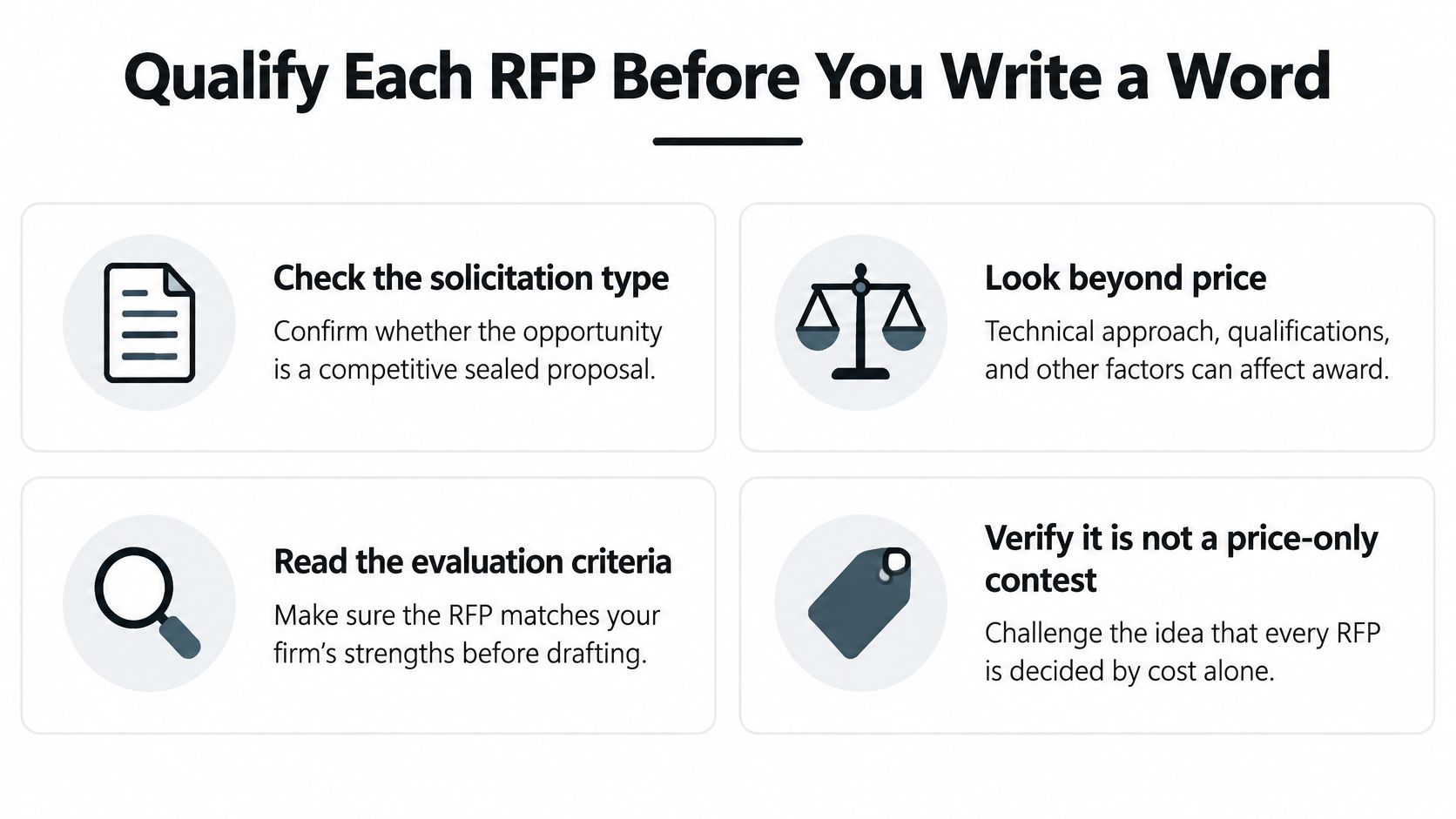
Not every RFP is a price contest. Pennsylvania's request-for-proposal process guidelines distinguish competitive sealed proposals from low-price-only selection. Technical approach, qualifications, experience and quality can affect the award, so discounting your price won't repair an unsupported technical response.
Read the evaluation method before assigning a writer. Then test whether your company can meet the requirements and produce persuasive evidence.
Use qualification gates, not enthusiasm
| Gate | Question to resolve |
|---|---|
| Legal eligibility | Can this legal entity compete and perform? |
| Mandatory certifications | Do you hold the credentials the notice requires? |
| Geographic or labor requirements | Can you satisfy the location, workforce and performance conditions? |
| Relevant past performance | Can you demonstrate comparable work with usable evidence? |
| Staffing capacity | Are qualified people available for the proposed schedule? |
| Pricing competitiveness | Can you price credibly without assuming away required work? |
| Response time | Can you finish a compliant, reviewed submission before closing? |
Check classification assumptions using this explanation of NAICS codes and size standards, then apply the eligibility language in the actual notice.
For a website-hosting opportunity, WebinOne's public sector website hosting checklist can help organize technical qualification questions. The agency's security, availability and service requirements still determine what your response must demonstrate.
Record a decision and learn from it
An unmet mandatory gate becomes a documented Skip reason. A Maybe needs a named owner, a question to resolve and a decision date. Reserve Go for opportunities you can support with evidence and available resources.
Treat a Go / Maybe / Skip Fit score as a quick read from written rules, not a promise or an automated substitute for judgment. Read the complete solicitation before committing.
After submission, retain the solicitation number, agency, publicly available competitor information, award amount and evaluation outcome. Published awards and IFB tabulations can help you refine future pricing and selection decisions without guessing why every unsuccessful proposal lost.
Set Up Your Weekly Pennsylvania RFP Search Routine
A useful routine produces decisions and next actions, not a growing folder of unread advertisements. Give each search session a defined purpose, and assign someone to maintain the buyer list even when proposal deadlines take priority.
The schedule below separates discovery from document review and qualification. That keeps a promising title from becoming an unexamined commitment.
Give each day a concrete output
- Monday, discover: Rerun saved eMarketplace searches and check Upcoming Procurements. Save relevant opportunity records with the buyer name and original posting location.
- Tuesday, inspect: Open new solicitation packages, check attachments and record amendments. Flag missing access or unclear instructions for immediate resolution.
- Wednesday, cover other channels: Check ECMS, Treasury and the named local buyers on your source map. Search the work categories you perform.
- Thursday, decide: Apply the qualification gates and record Go, Maybe or Skip with a reason. Assign unresolved questions to someone who can answer them.
- Friday, maintain: Confirm calendars, update the source map and record outcomes. Remove duplicate records, not original source references.
If your team can only reserve a single search session, keep this order within that session. Don't spend the whole appointment discovering new opportunities and leave no time to read them.
Use aggregation without abandoning original sources
We cover Pennsylvania at BidFunnels through PA eMarketplace, alongside federal notices from SAM.gov and state opportunities from Texas, Florida and California. Federal notices are checked for new and changed postings several times a day; state opportunities load from each portal's own list. We don't cover every city or county portal, so keep your named-buyer list active.
The Go / Maybe / Skip Fit score runs on inspectable rules, a quick read rather than a promise or an automated substitute for judgment. Proposal drafts use your own files and require your review; we don't submit anything to an agency.
BidFunnels isn't affiliated with, endorsed by, or acting for SAM.gov, the General Services Administration, the Universal Service Administrative Company (E-Rate), or any federal, state or local agency. Official notices remain authoritative, regardless of where you first discover an opportunity.
Keep a short search log showing the channel checked, search terms used, review date and resulting action. If a buyer repeatedly produces irrelevant results, refine its search vocabulary before dropping the source. If a promising local buyer has no useful alerts, retain a manual check on your calendar.
The measure of a good routine isn't how many listings you save. It's whether you can explain which buyers you checked, why you selected each opportunity, and what must happen next.
A search is finished only when you hold the full solicitation and every verified amendment, not just the advertisement.
Visit BidFunnels to find Pennsylvania opportunities and evaluate which ones deserve your proposal time. Start with the free RFP checker to review one solicitation without signing up, or try 7 days of Pro with no card to organize requirements and prepare drafts from your own files.